
Overview
TC Context Menu
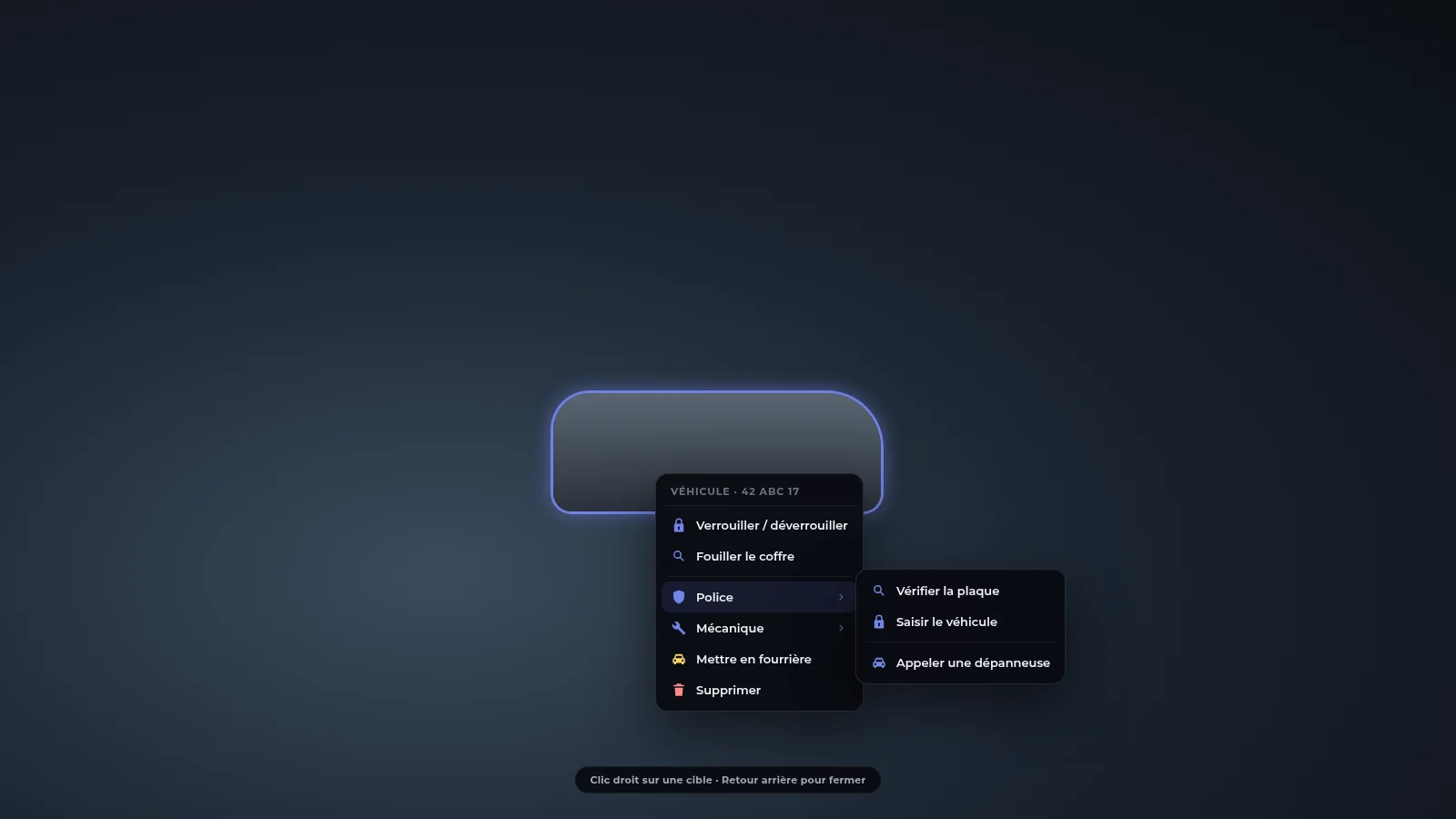
Mouse context menu: right-click a player, ped, vehicle, object or the world.
VisionESXQBCoreQboxStandalonev1.0.0
tc-contextmenu shows the mouse cursor: a right-click on a player, ped, vehicle, object or the world opens a menu with the actions available for that target. Options are added in game (/gestioncontexte) or by code, and options created in game are permanent (database).
It is a complete rewrite with no third-party code. It uses the same interface kit as the other TC scripts (tc-ui), so it shares the same theme.
#Features
- Targeting of 6 types: world, ped, player, vehicle, object, self, with highlight of the hovered entity.
- Submenus, separators, conditions (job, items, admin, ACE, in vehicle, on duty), maximum distance, model filter.
- In-game management (
/gestioncontexte): create, edit, duplicate, delete, enable, test, capture a target with one click, JSON import / export. - Built-in option pack (~75 options for player, self, vehicle, object, ped, world, staff, dev), switchable group by group.
- Simple integration API for other scripts: a
tcmenuglobal, exports, events. - ox_target and qb-target compatible: migrate in one line.
- Performance: 0.00 ms idle, ≤ 0.01 ms with the menu open.
#Dependencies
| Resource | Status |
|---|---|
oxmysql | required |
tc-ui | required (interface) |
ox_lib, ox_target, ox_inventory | not needed |
Frameworks: Vision, ESX, QBCore, Qbox or standalone (bridge/ layer).
#Pages
InstallationStart-up, tables and admin rights.ConfigurationEvery `config.lua` option.UsageOpening the menu, `/gestioncontexte`, fields and actions.Integration & exportsAdd options from your scripts.DatabaseThe full SQL.TroubleshootingFrequent errors.
#In this section
InstallationInstall tc-contextmenu: resources, tables, admin rights and first test.ConfigurationThe config.lua options: key, targeting, security, built-in option pack and bridge.UsageOpen the menu, manage options in game with /gestioncontexte, option fields, action types and the built-in pack.Integration and exportsAdd options from your scripts: tcmenu, exports, events, ox_target / qb-target compatibility.DatabaseThe tc-contextmenu SQL: two tables.TroubleshootingFrequent tc-contextmenu errors: the menu does not open, an option does not show, /gestioncontexte refused.